
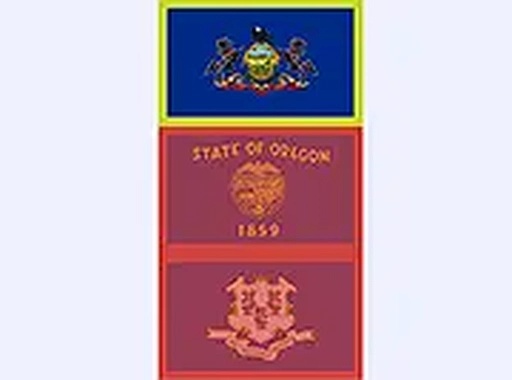
USA Flags Learning Puzzle
Reviews
USA Flags Learning Puzzle offers a simple yet effective way to memorize state flags. The riddles add a layer of engagement, and the timer keeps each round exciting. It works flawlessly on any device without downloads or ads, making it perfect for quick learning sessions. Ideal for students and trivia enthusiasts.
About this game
Game Introduction
USA Flags Learning Puzzle is an educational geography game that combines learning with entertainment. Players are presented with riddles about US states and must select the correct flag from multiple choices. Each correct answer adds to the score and teaches about the state's unique flag. Designed for all ages, it runs on any device with a browser, requiring no downloads or accounts. Full screen mode is available for a focused experience. The timer adds a gentle challenge, encouraging quick thinking. This game is a great resource for students, travelers, or anyone curious about US geography, turning memorizing flags into an engaging activity.
How to Play
Start the game and read the riddle shown on the screen. Below the riddle, you will see multiple flag images. Click on the flag you believe matches the state described. If correct, you earn points and move to the next question. If wrong, the game shows the correct flag so you can learn. The timer counts down, so answer as quickly as possible for a higher score. You can play on desktop, tablet, or smartphone. To begin, just open the game in your browser. No registration is required. For a larger view, click the full screen icon. The game is intuitive and welcoming for new players.
Game Features
Educational content that makes learning fun. It is completely free to play with no hidden costs. The interface is clean and easy to navigate. Works on all modern browsers and devices. Includes a timer for added excitement. Each round presents a new riddle and flag set. Supports full screen mode. Safe for children and suitable for family play. No ads that interrupt gameplay. Helps improve memory and geography knowledge.
Tips for Success
Practice regularly to improve your recognition of state flags. Pay close attention to the details in each riddle, as they often hint at unique flag elements. Try to answer quickly to maximize your score, but accuracy is more important for learning. Use the game in short sessions to build familiarity over time. If you get a question wrong, take note of the correct flag to reinforce your memory.



Leave a comment