Gem Quest delivers a classic platforming experience with a focus on exploration and gem collection. The controls are intuitive, making it easy for anyone to pick up and play. The increasing difficulty keeps the game challenging without being frustrating, and the hidden gems encourage thorough exploration. The bright, colorful graphics create a welcoming atmosphere that appeals to players of all ages. It is a solid choice for casual gaming sessions.
Description
Game Introduction
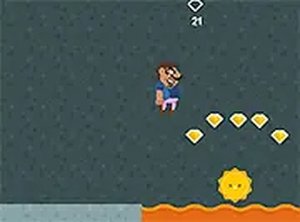
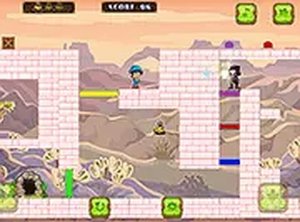
Gem Quest is a 2D platformer adventure that places you in the role of Avaron, a character on a mission to collect gems and purchase a new castle. The game combines classic platforming action with exploration, featuring colorful graphics and straightforward controls suitable for all ages. As an online browser game, it requires no downloads or installations, making it easy to start playing immediately. The core objective is to navigate through levels, gather treasure, and overcome obstacles, offering a satisfying challenge for casual gamers. The game is designed to be accessible, with a gentle learning curve that allows new players to quickly understand the mechanics while still providing enough depth to keep experienced players engaged. Each level presents a unique layout of platforms, enemies, and hidden areas, encouraging players to explore and discover all the secrets the game has to offer. The visual style is bright and inviting, creating a positive atmosphere that appeals to a wide audience. Whether you have a few minutes or a longer session, Gem Quest fits seamlessly into your schedule, making it an ideal choice for quick entertainment or extended play.
How to Play
Players control Avaron using basic keyboard inputs to move left or right and jump over obstacles and onto platforms. The primary goal in each level is to collect as many gems as possible while avoiding enemies and tricky terrain. Enemies can be defeated by jumping on top of them, but touching them from the side or below will cost a life. The game becomes progressively harder, introducing more enemies and complex platform layouts. Players can restart a level if all lives are lost, and practice helps improve performance and scores. The controls are intuitive, allowing players to focus on the action without needing to memorize complex button combinations. Timing is crucial, especially when navigating moving platforms or avoiding enemy patterns. As players advance, they will encounter new challenges that require quick reflexes and careful planning.
Game Features
The game offers multiple levels with increasing difficulty, encouraging players to climb higher and grab more treasure. Enemies appear in various patterns, requiring timing and precision to overcome. Hidden gems reward exploration and careful observation. Simple controls make the game accessible to new players, while the colorful art style keeps the experience visually engaging. The game runs smoothly in a browser without plugins and supports full screen mode for a more immersive experience. Levels are designed to be short enough for quick sessions but engaging enough to encourage repeat play. The progressive difficulty ensures that players are constantly challenged, with new obstacles and enemy configurations introduced as they advance. The hidden gems add an extra layer of depth, motivating players to thoroughly explore each level. The full screen mode helps minimize distractions, allowing players to fully concentrate on the gameplay.
Tips for Success
To succeed in Gem Quest, focus on learning enemy patterns and timing your jumps carefully. Explore each level thoroughly to find hidden gems and shortcuts that can boost your score. Practice regularly to improve your reflexes and familiarity with level layouts. Remember that patience is key—rushing often leads to mistakes. Use the full screen mode to minimize distractions and enhance concentration. If you get stuck, restarting a level can help you refine your strategy and achieve a higher score.
Compatibility
• OS: Windows 10+, macOS 11+, iOS 14+, Android 10+
Yes, Gem Quest is a free online browser game. There are no hidden fees or subscriptions required. You can play it directly in your web browser without any downloads or installations.
Can I play Gem Quest on my mobile device?
Gem Quest is designed for desktop browsers, but some mobile browsers may support it. For the best experience, we recommend playing on a computer with a keyboard, as the controls are optimized for that setup.
What happens when I lose all my lives?
If you lose all your lives, you can restart the current level from the beginning. This allows you to try again and improve your strategy. There is no permanent penalty, so you can keep practicing until you succeed.
Are there any in-game purchases or ads?
Gem Quest may include non-intrusive ads, but there are no in-game purchases required to progress. All levels and features are accessible without spending any money, ensuring a fair experience for all players.
How many levels are in Gem Quest?
The exact number of levels may vary, but the game includes multiple stages that increase in difficulty. Each level introduces new challenges, such as more enemies and complex platform layouts, keeping the gameplay fresh and engaging.
Can I save my progress in Gem Quest?
Gem Quest may automatically save your progress in your browser, allowing you to continue from where you left off. However, clearing your browser data could reset this progress, so it is a good idea to play in the same browser each time.
Player Comments
💬
Sign in to comment
You must be logged in before posting a review or rating.










Player Comments
Sign in to comment
You must be logged in before posting a review or rating.
No account? Create one
No comments yet. Be the first to comment!