
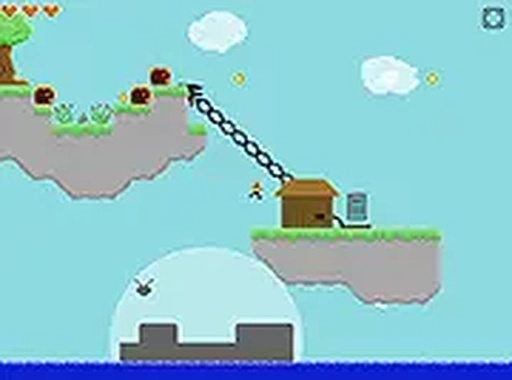
Floating Worlds Exploration Adventure
Reviews
Floating Worlds Exploration Adventure offers a charming and accessible experience for players of all ages. The colorful floating islands and simple mechanics make it easy to pick up, while the resource gathering and boss battles provide enough depth to keep sessions engaging. The browser-based design means no downloads, and the family-friendly content ensures a safe environment. A great choice for casual gamers looking for a peaceful adventure.
About this game
Game Introduction
Floating Worlds Exploration Adventure is a browser-based RPG that invites players to explore a sky filled with floating islands. Each world holds unique resources such as iron, stone, wood, and monster essence. You will discover secret islands, mysterious dungeons, and powerful bosses. The goal is to gather materials to upgrade your floating world and unlock new adventures. The game also challenges you to find a contact you lost touch with and bring them back. Its colorful design and simple mechanics make it suitable for players of all ages. The experience is entirely browser-based with no downloads required.
How to Play
To play, use your mouse or touch controls to move between islands. Click on resources to collect them. Explore each world to find hidden treasures. When you encounter a boss, plan your attacks to defeat it and earn rewards. Use collected materials to build and improve structures on your floating world. The game runs smoothly in your browser, and you can switch to full screen mode for a better view. Start connecting worlds and see how far you can go.
Game Features
Game features include: Free to play and browser-based with no downloads needed. Full screen mode for an immersive experience. Resource collection from multiple worlds. Boss battles that require strategy. Exploration of secret islands and dungeons. Family-friendly content with no violent or inappropriate themes.
Tips for Success
You will like this game because it offers a relaxing yet engaging way to pass time. The combination of gathering, building, and exploring keeps each session fresh. It is easy to learn and does not require a large time commitment.



Leave a comment