
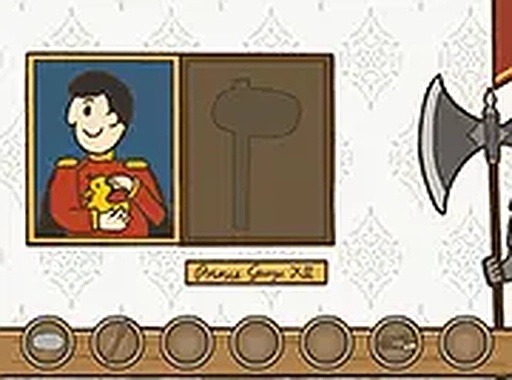
Royal Duck Runaway Puzzle Adventure
Reviews
Royal Duck Runaway provides a polished puzzle experience with a gentle learning curve. The point-and-click mechanics are intuitive, and the puzzles require observation and logic without being overly difficult. The castle setting is whimsical and inviting. It offers good replay value for those who enjoy exploring different solutions. A solid choice for casual puzzle fans.
About this game
Game Introduction
Royal Duck Runaway is a charming single-player 2D puzzle room-escape game that invites you into a whimsical castle adventure. As Christopher the duck, your mission is to outsmart the prince and uncover a hidden treasure chest. This point-and-click puzzle game challenges you to explore the castle, find clues, and solve unique puzzles to progress. Designed for desktop play, it offers a family-friendly experience suitable for all ages, with no violence or inappropriate content. The game's engaging storyline and clever puzzles make it a delightful choice for puzzle enthusiasts. Available for free, Royal Duck Runaway runs directly in your browser, providing instant access to hours of brain-teasing fun. Whether you are a casual gamer or a puzzle pro, this game promises a rewarding escape adventure.
How to Play
To play Royal Duck Runaway, use your mouse to point and click on items and clues within the castle scenes. Your goal is to solve puzzles by interacting with objects, collecting items, and piecing together hints to help Christopher the duck escape. The game is designed for desktop computers, so a keyboard or mouse is recommended for the best experience. You can also play in full screen mode for a more immersive view. As you progress, you will need to think logically and explore every corner of the castle to find the treasure chest. The game is free to play, with no downloads required. Just open your browser and start playing. If you get stuck, try clicking on different objects or revisiting areas for new clues.
Game Features
Free to play. Family-friendly content with no violence. Runs directly in your browser without downloads. Point-and-click controls for easy navigation. Engaging puzzle mechanics that encourage logical thinking. Full screen mode available for better immersion.
Tips for Success
Take your time exploring each room thoroughly. Click on every object you see, as hidden clues may be tucked away in unexpected places. Keep a mental note of items you collect and try combining them with other objects. If you feel stuck, revisit previous areas—sometimes new interactions become available after solving a puzzle. The game rewards patience and careful observation, so enjoy the process and don't rush.



Leave a comment