
Knight Quest Action Game
Reviews
Slash Knight offers a straightforward yet engaging action experience. The increasing difficulty keeps you on your toes, and the upgrade system adds replay value. The medieval soundtrack and simple visuals create a charming atmosphere. It is a solid choice for quick sessions or longer play, with offline access as a bonus.
About this game
Game Introduction
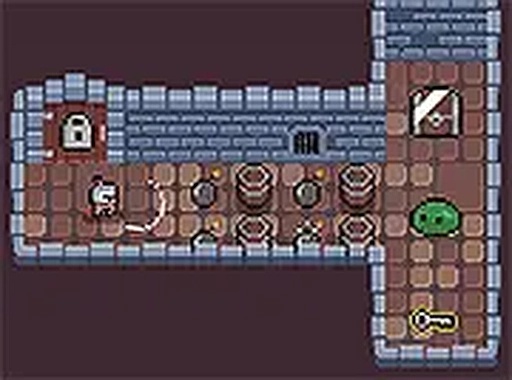
Knight Quest Action Game is a browser-based adventure that casts you as a brave knight on a mission to recover a stolen blade from a clever goblin. The game uses simple 2D graphics and a medieval-inspired soundtrack to create an immersive dungeon-crawling atmosphere. As you move through different rooms, you encounter enemies and traps that become more difficult with each level. The game is designed for quick gaming sessions, offering offline play so you can enjoy the adventure without an internet connection. Upgrading your knight's abilities helps you tackle the growing threats, making each playthrough a test of skill and strategy. This indie title stands out for its blend of straightforward mechanics and strategic depth, appealing to fans of action games.
How to Play
To play Knight Quest, use your keyboard or mouse to control your knight. Navigate through various rooms by defeating enemies and avoiding traps to survive. Each level introduces new obstacles that require careful planning and quick reflexes. Collect items and upgrades along the way to enhance your knight's skills and improve your chances of success. The game is optimized for desktop play, so using a computer provides the best experience. You can also switch to full screen mode for a more immersive adventure. Simply start the game and begin your quest to retrieve your blade from the goblin.
Game Features
The game features simple controls that are easy to learn. Challenging levels keep you engaged and test your reflexes. Upgradeable abilities allow you to customize your knight's strengths. Offline play means you can enjoy the game anywhere without an internet connection. Full screen mode provides an immersive experience. The game is designed for quick sessions, making it perfect for short breaks.
Tips for Success
To succeed in Knight Quest, focus on learning enemy patterns and trap placements. Prioritize collecting upgrades early to boost your knight's abilities. Practice your reflexes to dodge incoming threats effectively. Take advantage of offline play to practice levels repeatedly without pressure. Use full screen mode for better visibility and immersion. Plan your movements carefully in each room to avoid unnecessary damage.

Leave a comment