
Hexasweeper Logic Puzzle Game
Reviews
Hexasweeper successfully reinvents a classic puzzle by replacing squares with hexagons, which changes the logic and strategy. The game is easy to pick up but offers enough depth to keep you coming back. Each board is randomly generated, providing high replayability. The interface is minimal and distraction-free, letting you focus on solving. It is a solid choice for anyone who enjoys brain teasers or wants a quick mental challenge during the day.
About this game
Game Introduction
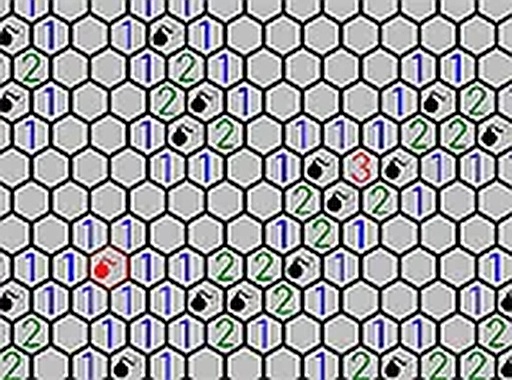
Hexasweeper is a creative puzzle game that transforms the classic minesweeper experience into a hexagonal challenge. Instead of a square grid, the board is made of hexagon tiles, adding strategic depth. The goal is to uncover all safe tiles and flag hidden mines using numbered clues. Each number indicates how many mines touch that tile among its six neighbors. This game is ideal for fans of logic puzzles and brain teasers. It runs smoothly in any modern browser and is completely free to play. Test your deductive thinking and see how many mines you can identify without a mistake.
How to Play
To play Hexasweeper, use your mouse or keyboard to click on hexagon tiles. Clicking a tile reveals either a number or a mine. Numbers tell you how many mines are in the six adjacent tiles. Use this information to mark mines by right-clicking or using a keyboard shortcut. Your objective is to flag all mines and uncover every safe tile. Clicking on a mine ends the game, so plan each move carefully. Use logic to clear the board and win. The game is designed for desktop and works best with a mouse or keyboard for precise control.
Game Features
Game features include a hexagonal grid that adds a fresh strategic layer, logic-based gameplay that rewards careful thinking, and a free-to-play model with no downloads required. The interface is clean and responsive, making it easy to focus on the puzzle. Each game is randomly generated, ensuring no two boards are the same.
Tips for Success
To succeed in Hexasweeper, start by clicking tiles in the center of the board to reveal larger safe areas. Use the numbered clues to deduce where mines must be located. Mark potential mines with flags to avoid accidental clicks. Work systematically from known numbers outward, and when stuck, consider all possible mine configurations. Practice regularly to improve your logical reasoning and pattern recognition skills.



Leave a comment